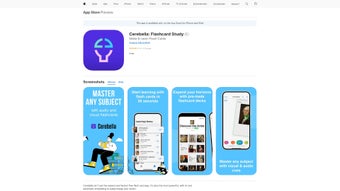

Download Cerebella – AI‑Enhanced Flashcard Learning Tool
Overview
Cerebella is a next‑generation flashcard application that blends the proven power of spaced‑repetition with the flexibility of artificial intelligence. Designed for students, professionals, and language learners, the tool lets you create unlimited flashcards on any subject and automatically syncs them across Windows, macOS, Android, and iOS devices. The interface is clean, ad‑free, and distraction‑free, ensuring that every study session stays focused on the material that matters.
By tapping into ChatGPT, Cerebella can generate hints, explanations, and even whole decks based on a simple prompt, dramatically cutting down the time you spend preparing study material. Detailed progress statistics help you visualize retention trends, while the built‑in CSV export makes it easy to back up data or import cards into other platforms. Whether you’re prepping for an exam, mastering a new language, or keeping up with professional certifications, Cerebella offers a secure, free‑to‑use environment that adapts to your learning style and pace.
The app also respects privacy by encrypting all user data both in transit and at rest, complying with GDPR and CCPA standards. In addition, Cerebella’s modular design means new AI features can be added without requiring a complete overhaul, keeping the software future‑proof. Overall, the combination of AI‑driven content creation, robust spaced‑repetition algorithms, and cross‑device cloud sync positions Cerebella as a versatile study companion for anyone looking to improve knowledge retention while minimizing manual effort.
Key Features
Cerebella’s feature set is built around three core pillars: limitless flexibility, intelligent assistance, and deep analytics. Users can start with a blank deck or let the AI generate a full curriculum in seconds. The platform’s adaptive learning engine continuously refines review intervals based on real‑time performance, while the analytics dashboard offers visual insights that help learners identify weak spots and allocate study time more efficiently. All of these capabilities are delivered through an intuitive UI that works equally well on a laptop, tablet, or smartphone.
- Unlimited Card Creation – Build as many decks as you need, covering any topic from biology to business law.
- AI‑Powered Deck Generation – Use ChatGPT to auto‑generate questions, answers, and explanations from a simple keyword or paragraph.
- Advanced Spaced Repetition – An algorithm that schedules reviews based on your individual recall patterns, maximizing long‑term retention.
- Cross‑Device Cloud Sync – All decks are stored securely in the cloud, giving you instant access on Windows, macOS, Android, and iOS.
- Ad‑Free Learning Environment – No pop‑ups, no banners, no interruptions—just pure study time.
- Progress Analytics – Visual dashboards display study streaks, success rates, and areas that need more focus.
- CSV Export / Import – Export your decks for backup or import external CSV files to expand your study library.
- Customizable Deck Settings – Adjust card order, review intervals, and font sizes to suit personal preferences.
- Secure Data Handling – End‑to‑end encryption keeps your personal study material private.
- Free Core Version – All essential features are available at no cost, with optional premium upgrades for power users.
Each feature has been fine‑tuned based on feedback from thousands of beta testers, ensuring that the tool feels natural whether you are a high‑school sophomore or a senior researcher. The AI generation engine, for instance, can be prompted with a single phrase like “European Renaissance art” and instantly return a ready‑to‑study deck containing key dates, artists, and artworks, complete with concise explanations. Meanwhile, the analytics module tracks metrics such as “average recall rate” and “time spent per card,” giving you a data‑driven view of your learning journey. These capabilities collectively make Cerebella more than a flashcard app—it becomes a personal tutor that scales with your ambitions.
Installation, Compatibility & Usage Instructions
Getting Cerebella up and running is a breeze, and the process is designed to work uniformly across all supported operating systems. Whether you prefer a desktop environment for deep‑work sessions or a mobile device for quick reviews on the go, the steps below will guide you from download to daily usage.
Step‑by‑Step Installation
- Visit the Official Site – Navigate to cerebella.app and click the “Download” button that matches your OS (Windows, macOS, Android, or iOS).
- Run the Installer – On Windows, launch the .exe file; on macOS, open the .dmg and drag the app to your Applications folder. Mobile users will be redirected to the Google Play Store or Apple App Store; tap “Install”.
- Create an Account – Open the app, choose “Sign Up”, and register with an email address or a social login (Google/Apple). A verification email ensures secure cloud sync.
- Configure Cloud Sync – In Settings, toggle “Cloud Sync” and select a sync frequency (automatic is recommended). This step encrypts your decks and stores them on Cerebella’s secure servers.
- Start Your First Deck – Click “New Deck”, name it (e.g., “Intro to Python”), and either add cards manually or type a prompt for the AI to generate a full set.
Operating System Support
Cerebella runs natively on Windows 10 or later, macOS 11 (Big Sur) and newer, Android 8.0+, and iOS 13+. The app automatically detects the platform and applies the appropriate UI scaling, ensuring a consistent experience whether you study on a 15‑inch laptop screen or a 6‑inch phone display.
Daily Usage Tips
After installation, adopt a short, regular review habit to capitalize on the spaced‑repetition algorithm. Open the “Today’s Review” tab each morning; the app will present cards due for that day based on your prior performance. If you encounter a difficult card, press the “Hint” button to receive an AI‑generated explanation.
Mark each response as “Easy”, “Medium”, or “Hard” to let the algorithm adjust future intervals. Periodically visit the “Statistics” page to monitor trends such as “Retention Rate” and “Study Time per Session”. For deeper learning, create sub‑decks focused on weak topics and ask the AI for additional practice questions.
Finally, use the CSV export function weekly to back up your progress offline or share decks with classmates. By following this structured workflow, most users report a noticeable improvement in recall after just three weeks of consistent study.
Pros, Cons & Frequently Asked Questions
Pros
- Unlimited, ad‑free flashcards keep learning costs low.
- AI‑driven content generation saves hours of manual card creation.
- Advanced spaced‑repetition algorithm tailors review intervals to individual memory curves.
- Cross‑device synchronization guarantees access anywhere.
- Rich analytics provide clear insight into progress and problem areas.
- CSV export/import offers flexibility for power users and educators.
Cons
- Free tier limits some premium AI features (e.g., bulk deck generation).
- Initial learning curve for users unfamiliar with spaced‑repetition concepts.
- Requires an internet connection for cloud sync and AI assistance.
- Desktop versions currently lack native dark‑mode support.
Frequently Asked Questions
Is Cerebella completely free to use?
The core application, including unlimited flashcards, AI hints, and cloud sync, is free. Premium features such as bulk AI‑generated decks and advanced customization are available through a modest subscription.
Can I use Cerebella offline?
Yes. All decks you have opened are cached locally, allowing you to review cards without an internet connection. However, AI‑generated hints and cloud sync require online access.
How does the spaced‑repetition algorithm work?
Cerebella tracks how quickly you answer each card and whether you mark it as easy, medium, or hard. Based on this feedback, the algorithm schedules the next review interval, lengthening it for well‑known cards and shortening it for challenging ones.
Is my data secure in the cloud?
All data is encrypted both in transit (TLS) and at rest (AES‑256). Cerebella complies with GDPR and CCPA standards, ensuring your personal study material remains private.
Can I import existing flashcards from other apps?
Yes. Cerebella supports CSV import, which can be exported from most popular flashcard apps (e.g., Anki, Quizlet). Simply go to Settings → Import and select your CSV file.
Conclusion & Call to Action
Cerebella stands out in a crowded market of study tools by marrying the timeless effectiveness of spaced repetition with modern AI assistance. Its ad‑free, cross‑platform design makes it an ideal companion for anyone who wants to learn faster without paying a premium price. Whether you’re a high‑school student preparing for finals, a medical resident memorizing anatomy, or a professional upskilling in data science, Cerebella’s flexible deck system and intelligent review engine adapt to your unique workflow. The free tier already offers a generous set of capabilities, while the optional premium subscription unlocks bulk AI generation and deeper analytics—features that can save you countless hours of manual card creation.
Ready to transform the way you study? Download Cerebella now and start mastering your subjects with the confidence of AI‑backed learning. Install the app on all your devices, create your first deck in minutes, and watch your retention rates climb as the algorithm fine‑tunes your review schedule. Join the growing community of learners who have already discovered a smarter, faster path to knowledge.



.png)



